Concept · App
Musego is a mobile app that combines exhibition discovery with digital museum tools. Users can find cultural events, buy tickets, and scan exhibits to save them in their personal digital collection.
Main Goal
Help users find relevant exhibitions based on their location and personal preferences.
Replace exhibit photos with a personal digital collection available on the user's phone.
Create a modern and user-friendly platform for buying and managing museum tickets.
my role
This was my personal concept project, where I worked as a Product Designer. I was responsible for identifying a market gap, designing the user journeys, including the exhibit scanning feature, and creating the overall app experience and interface.
design challanges
Challenge 1: Discovering Exhibitions
How might we help users quickly find exhibitions that match their location, interests, and available free time?
Challenge 2: Scanning and Archiving Exhibits
How might we allow users to scan and save exhibits with detailed information, such as the title, artist, date, and description, without distracting them from the artwork itself?
Research & Analysis
Identifying a market gap
Behavioral analysis, based on observations and user interviews, showed that:
Users often discover exhibitions through external sources such as TikTok and online advertisements.
Users struggle to keep track of information about exhibits and often rely on quick photos, which are frequently low quality and difficult to organize later.
Key Findings (Problems to Solve)
Lack of a Centralized Source: Users do not have one trusted place to discover exhibitions and cultural events nearby

Design process
Information Architecture (IA) & Wireframing
After completing the research, surveys, and personas, I started designing the app structure. My goal was to create a simple and intuitive experience that combined finding exhibitions, buying tickets, and exploring museums.
Sketches and Breadboarding: I began with simple sketches and breadboards to quickly map out the main screens and user flows.
Site Map: Next, I created a site map to organize the app structure and define how users move between different sections.
Iterations: Before creating prototypes, I tested and improved the screen structure several times to make navigation as simple and intuitive as possible.

User Testing
After creating the wireframes, I conducted remote usability tests in Maze.co. The tests helped me understand how users interacted with the app and what could be improved before moving to the final design.
Main Testing Goals
Check whether users can easily find their scanned and liked exhibits and exhibitions.
Check whether users can easily find museums and exhibitions using the search feature.
Evaluate how easy it is for users to access and use additional exhibition materials.
Results
66,7%
The biggest usability issue was access to additional exhibition content. More than two-thirds of users could not find the extra materials, so the event page was completely redesigned.
50,0%
Half of the users struggled to find their scanned exhibits. This highlighted the need to make the "My Collection" section and archive navigation more prominent.
71,4%
Most users had no problems finding an exhibition and completing the ticket purchase process. The purchase flow proved to be the strongest part of the user experience.

Key Changes & Design Solutions
Discovery and Ticket Purchase: The app automatically shows nearby museums and exhibitions based on the user's location. Users can also easily switch to another city, such as Warsaw, to plan future visits and trips.


Scanning and Archiving: Users can scan a QR code next to an exhibit to save its details, including the artist, date, description, and image, to their personal collection.
Simplified Checkout and Ticket Management: Users can easily view their tickets, event details, and QR codes needed to enter the museum.

visual Design
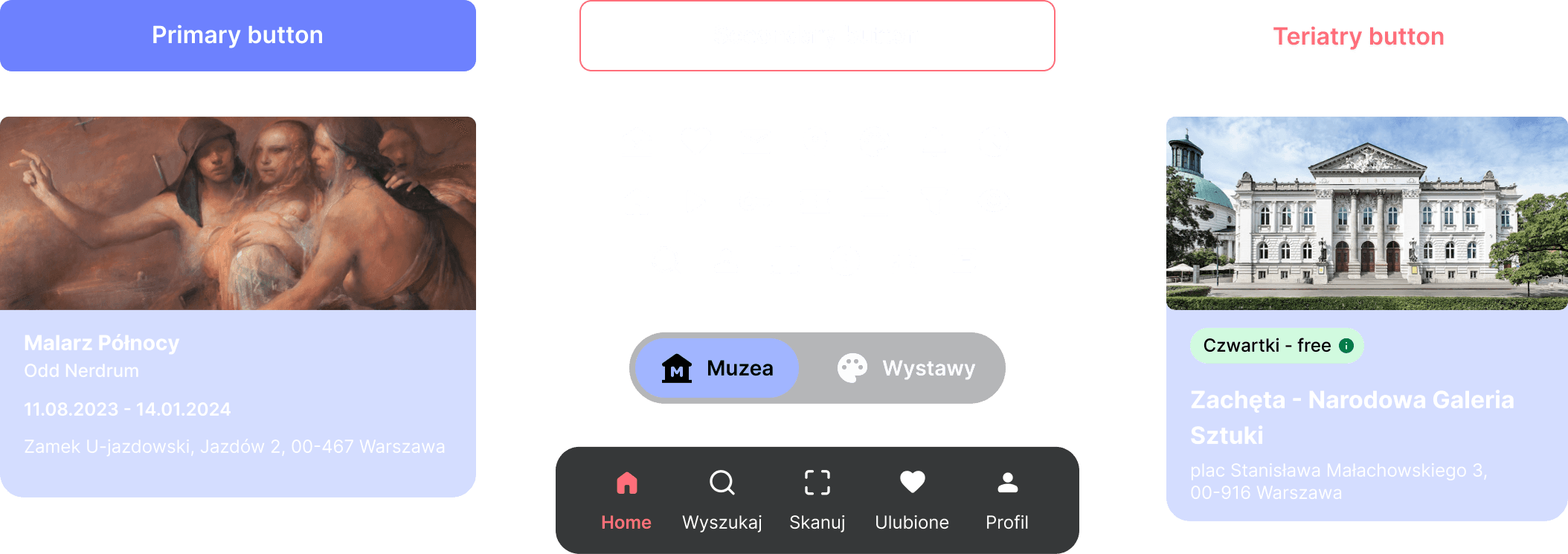
A modern dark mode was chosen to support the overall museum experience.
It reflects the atmosphere of museums, where exhibits are often presented in dark and focused environments.
It creates a calm and immersive experience that helps users focus on art and exhibition content.
Results & Conclusions
Concept Outcomes
Easy Discovery: Users can quickly find relevant exhibitions based on their location and interests.
Added Value: The exhibit scanning feature offers more value than taking photos by creating a personal digital collection with detailed information about each exhibit.
conclusion
Dual Context Design: Designing for both planning at home and active use during a museum visit is key to creating a successful cultural app.
Calm User Experience: The dark mode and minimalist interface create a focused and comfortable environment, helping users engage with art without distractions.

